Entire law practice in one place
Follow one case from first enquiry to final invoice
Five minutes in the real product. Sofia fills in a form on your website, and her case runs through intake, documents, the letter and the invoice.
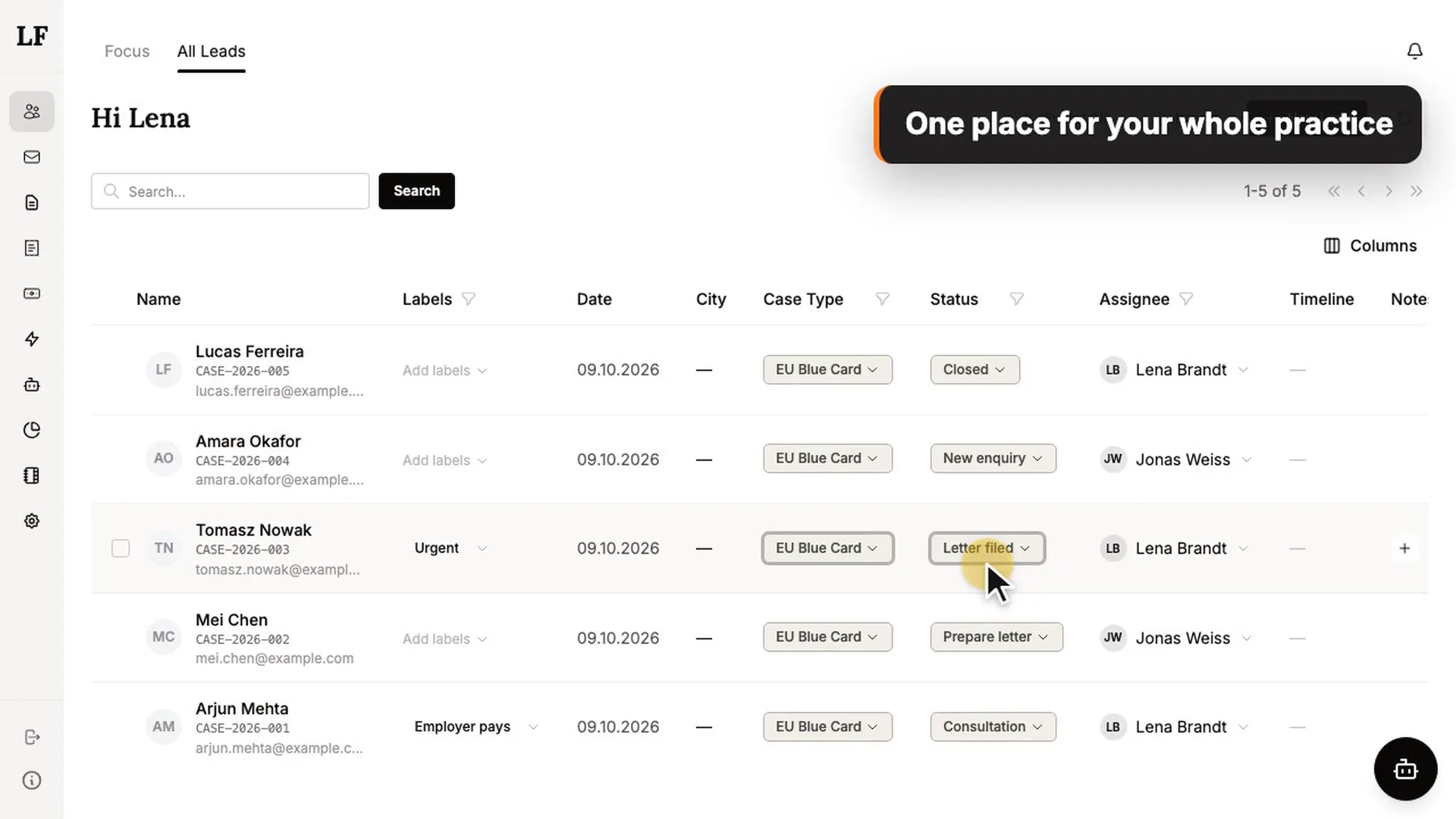
Every morning, you know exactly where to start
LegalFreund surfaces the cases that need your attention today. No more spending the first hour deciding who to call.


Prioritize
Mark what matters most. LegalFreund shows your highest-priority matters front and centre, automatically.

Signals
Smart cues flag cases with unanswered messages, overdue tasks, or upcoming deadlines, before they become problems.

Actions
Act directly from the Focus view. Send a message, log a note, or close a matter without ever leaving the screen.
Access your whole practice from a single cockpit
Every client, every case, every deadline, visible at a glance. No switching tabs, no hunting for context.


Automate recurring tasks
Set the rules once. LegalFreund handles the rest, without you lifting a finger.
Workflow
Build automation rules once: when this happens, do that. Your practice runs the routine while you focus on the law.
History
See every execution at a glance: when it ran, which lead it touched, how long it took, and whether it completed.
Detail
Drill into any execution to inspect the full input and output of each step. You always know exactly what happened.
Integrations
Connect LegalFreund to thousands of apps via Make.com, n8n or Zapier and build workflows that fit exactly how you work.
Create and send invoices
Create invoices in seconds, send them in one click, and track every payment within LegalFreund.
Templates
Create reusable templates for your most common services. No more re-entering descriptions. Pick a template and the details fill in automatically.
All Invoices
View, edit, and manage every invoice in one place. Filter by status or period, track what's paid and what's outstanding.
Send in One Click
Send invoices directly from LegalFreund. Client address and email is filled in automatically. No downloading, no uploading, no switching apps.
One inbox for the whole team, sorted by case
Client emails land on the right case. Everyone sees who is answering, so nobody answers twice and nobody is forgotten.


Answer in seconds
Type / and pick a snippet. The client's name, case number and dates fill in by themselves.
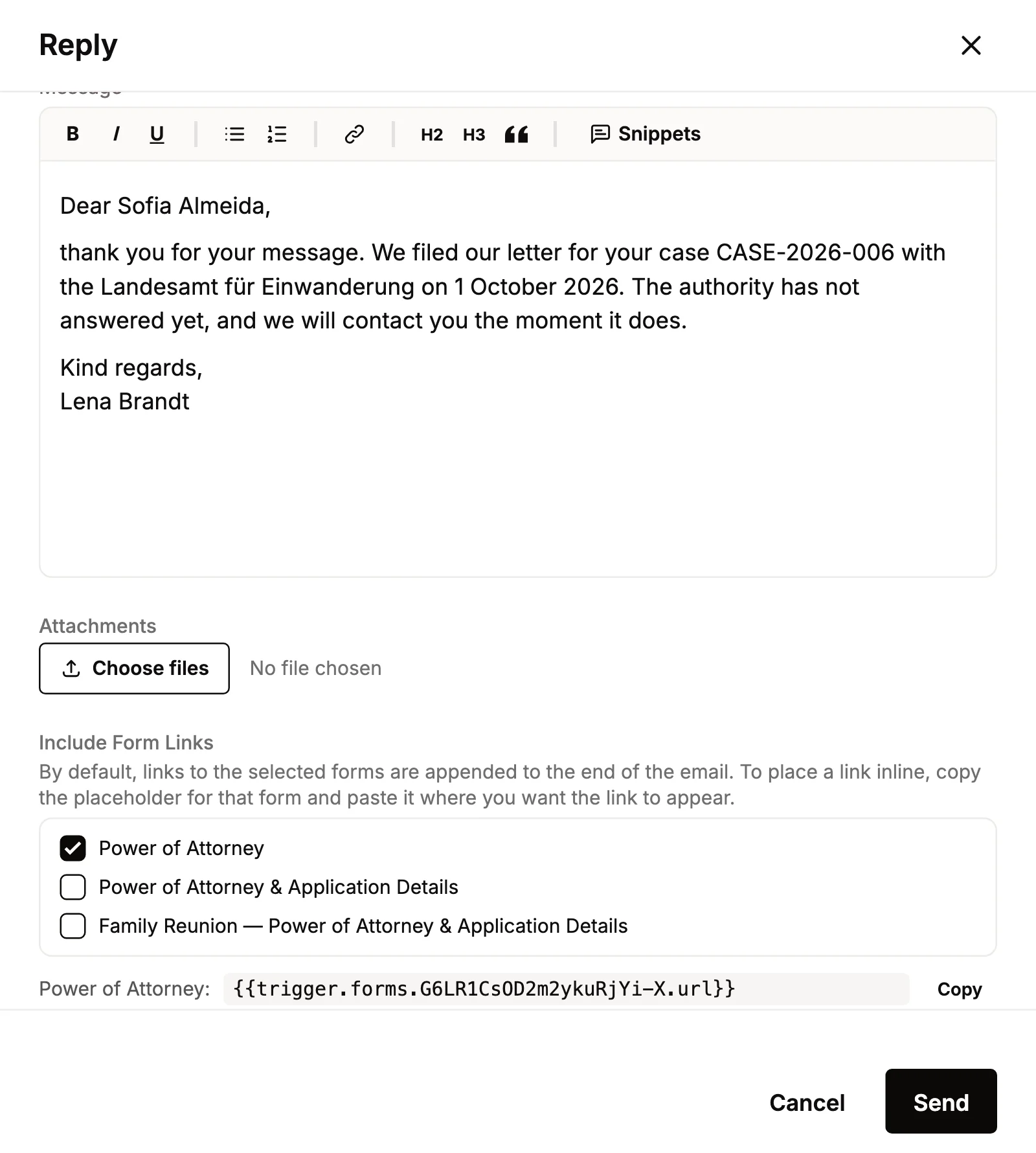
Send a form, not a PDF
Add an online form to your reply. Your client fills it in and signs on screen, and the answers land on the case.

Attach the case file in one go
Tick the documents already on the case. No downloading, no searching through folders.
A client portal in your firm's name
Clients send their documents and give feedback on your drafts in one place. No email chains, no photos sent one by one.
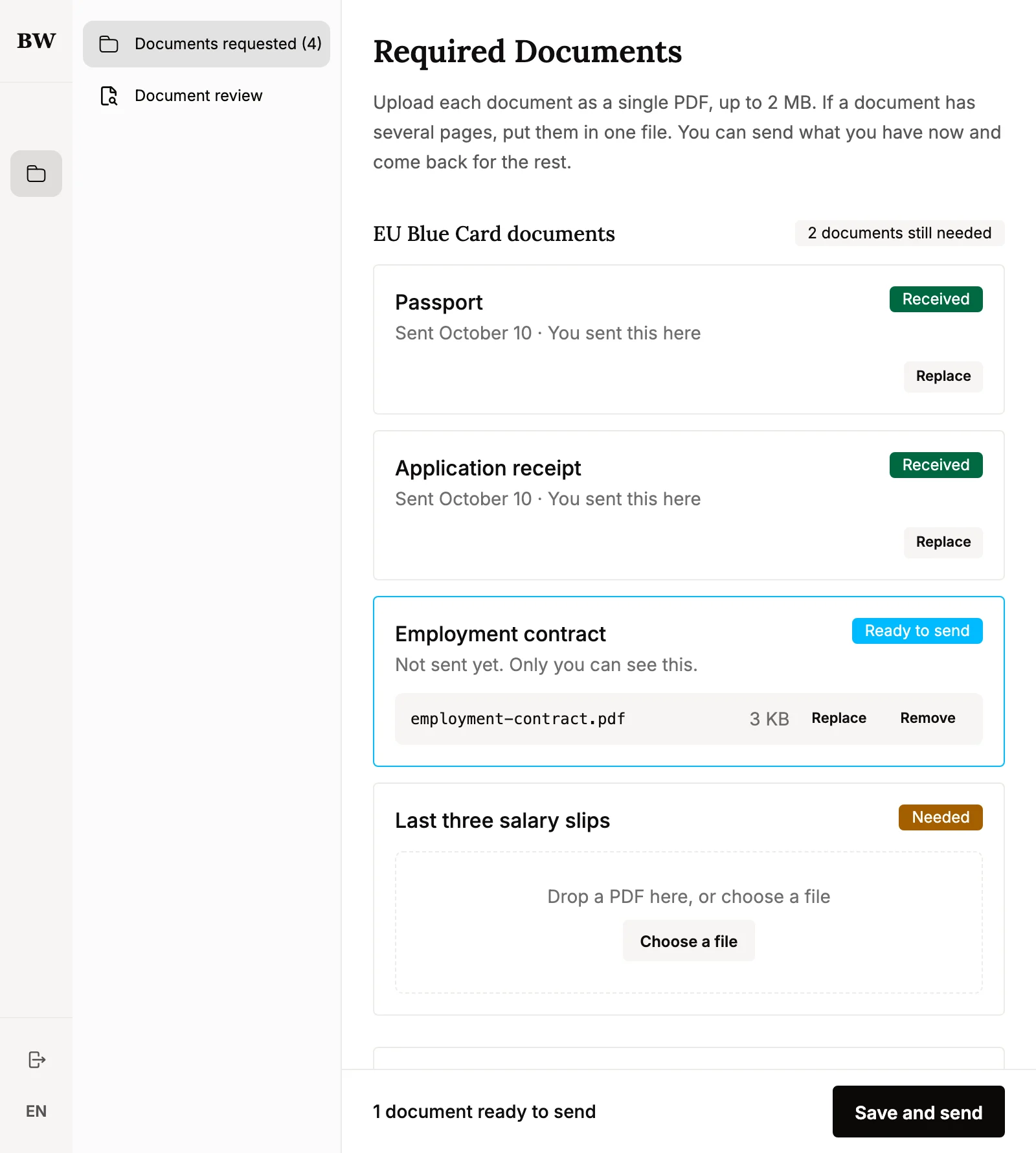
Clients upload what you ask for
Send your checklist. Your client sees what is still missing and uploads each file. It lands on the case, and the checklist ticks itself off.

Feedback on the exact sentence
Clients read your draft as it will be sent, select a sentence and leave a note. You see the note right beside the text.
Your letters, drafted on the case
Set it up once. From then on, LegalFreund drafts the document on the case in your firm's own words. You read it, change it, and export it as a PDF.

 Step 1
Create a template
Write the letter once. Mark where the client's details go, and where the AI should write.
 Step 2
Teach it your style
A skill tells the AI your tone, what to always do and what never to do.
 Step 3
Add it to a workflow
Choose when it happens, for example when a case moves to “Prepare letter”. The draft appears on the case.
 Step 4
Edit and export
Read and change the draft in LegalFreund. Then export it as a PDF, or send it to your client for review.
Your time is valuable
Invest where it matters most
Lawyers using LegalFreund spend less time on admin, carry less in their heads, and leave more room for the work that actually matters.
Simple pricing
One price per person. No feature gates, no surprise upsells.
All prices net, plus VAT.
LegalFreund is currently invite-only. We're onboarding a small, closed circle of lawyers. Book a call for a demo and check if we are a fit.
Book a call to request an invite